
Ready-made routines
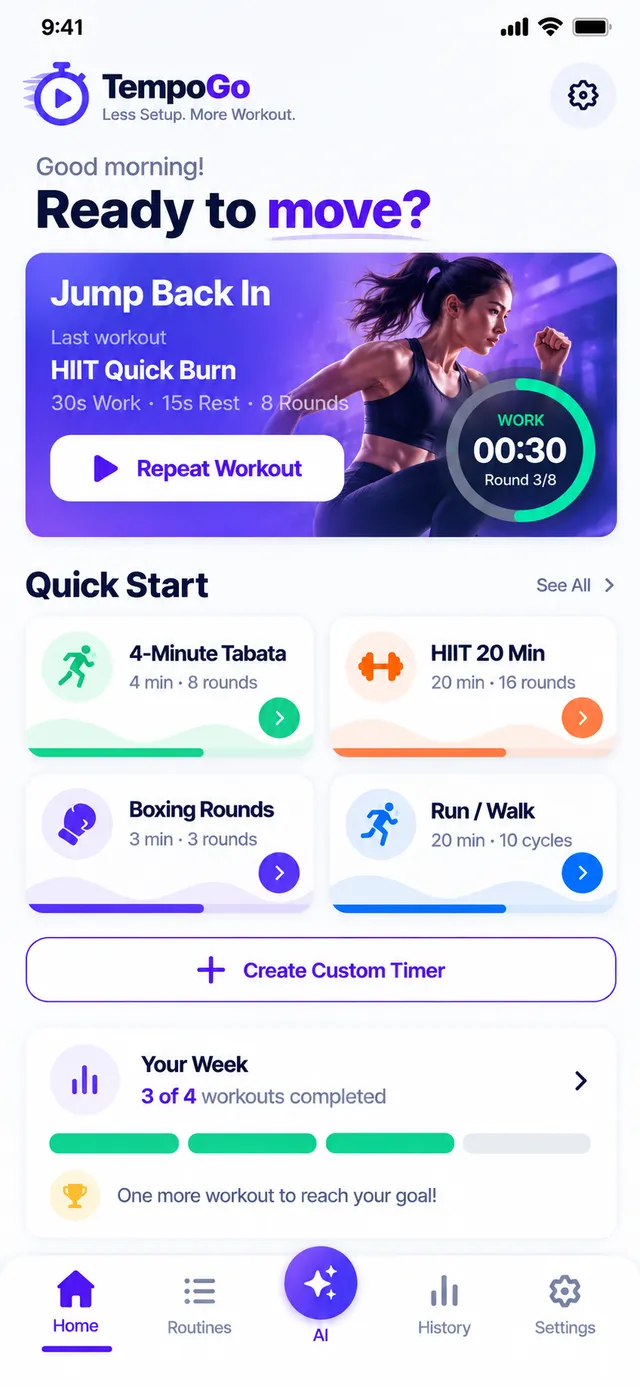
4-Minute Tabata, HIIT Quick Burn, Boxing Classic and more. Start any of them in one tap.
HIIT · Tabata · Boxing · Running
The interval timer that gets you moving fast. Pick a routine, build your own in seconds or just say what you want, then train hands-free while the voice coach counts you through every round.
Features
No complicated menus. TempoGo keeps the timer front and centre so you can focus on the work.
4-Minute Tabata, HIIT Quick Burn, Boxing Classic and more. Start any of them in one tap.
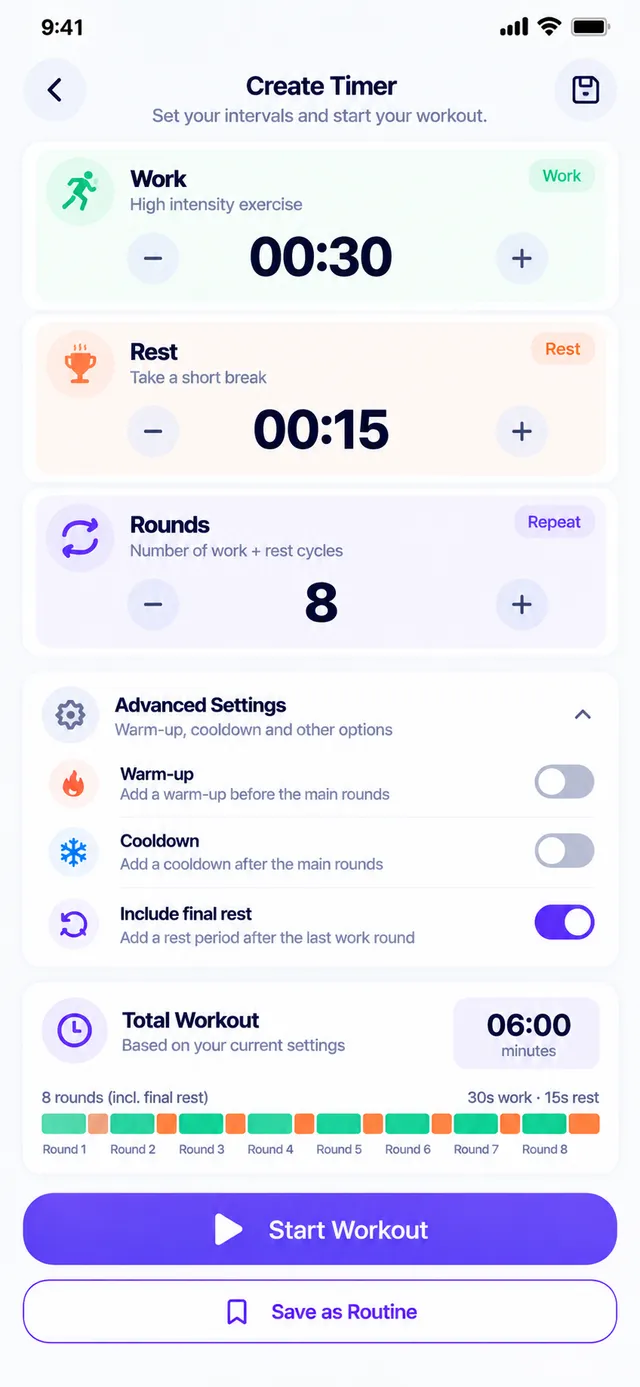
Set work, rest, rounds, warm-up and cooldown, and see the total time before you start.
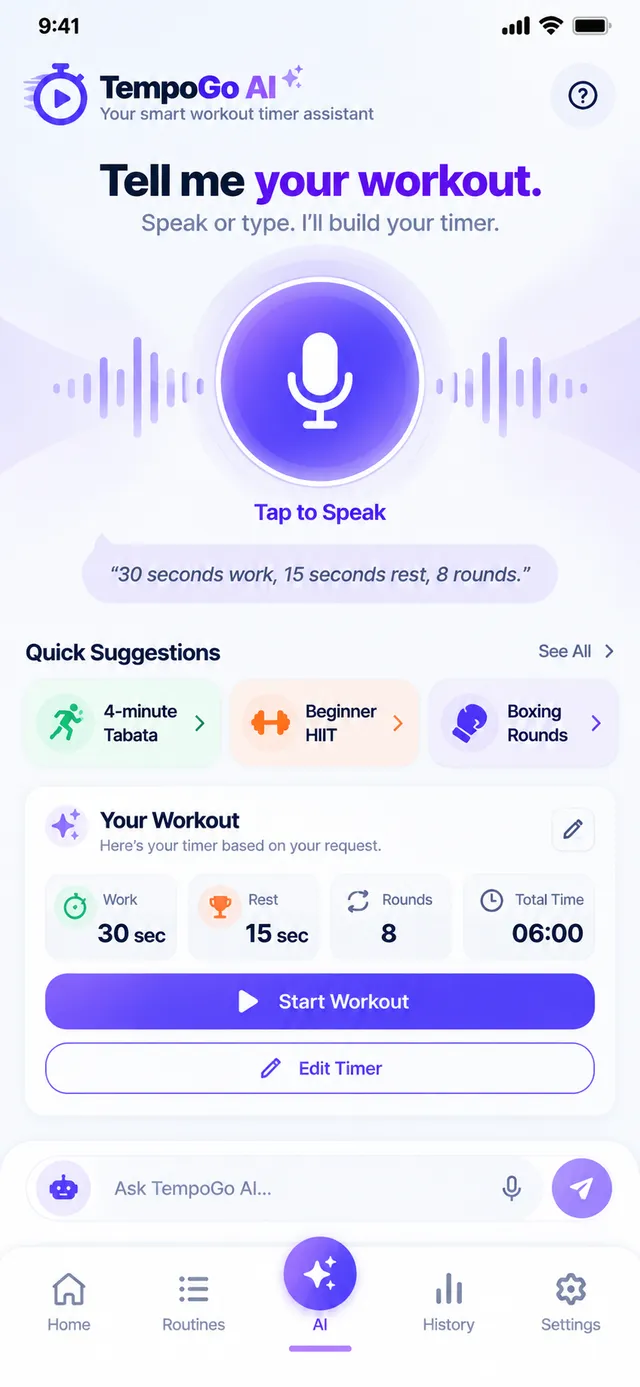
Type or speak your workout in plain words and TempoGo builds the timer for you.
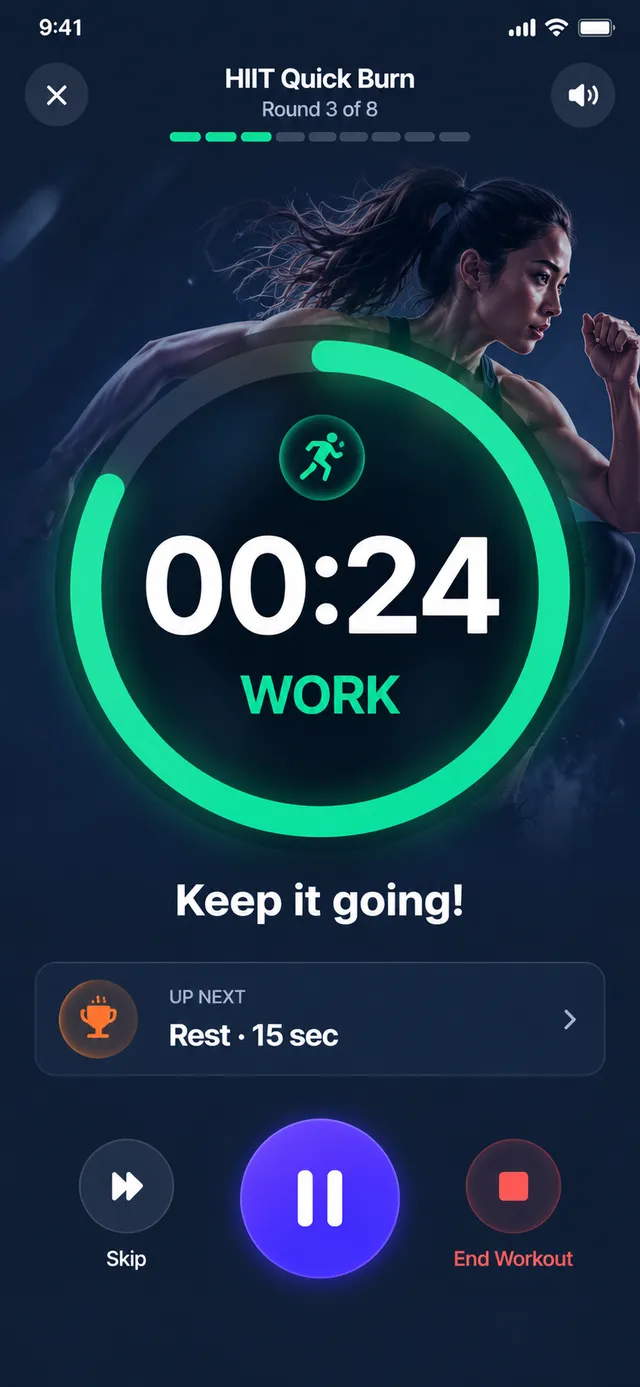
The voice coach calls work, rest and the 3-2-1 countdown, with beeps and vibration at every change.
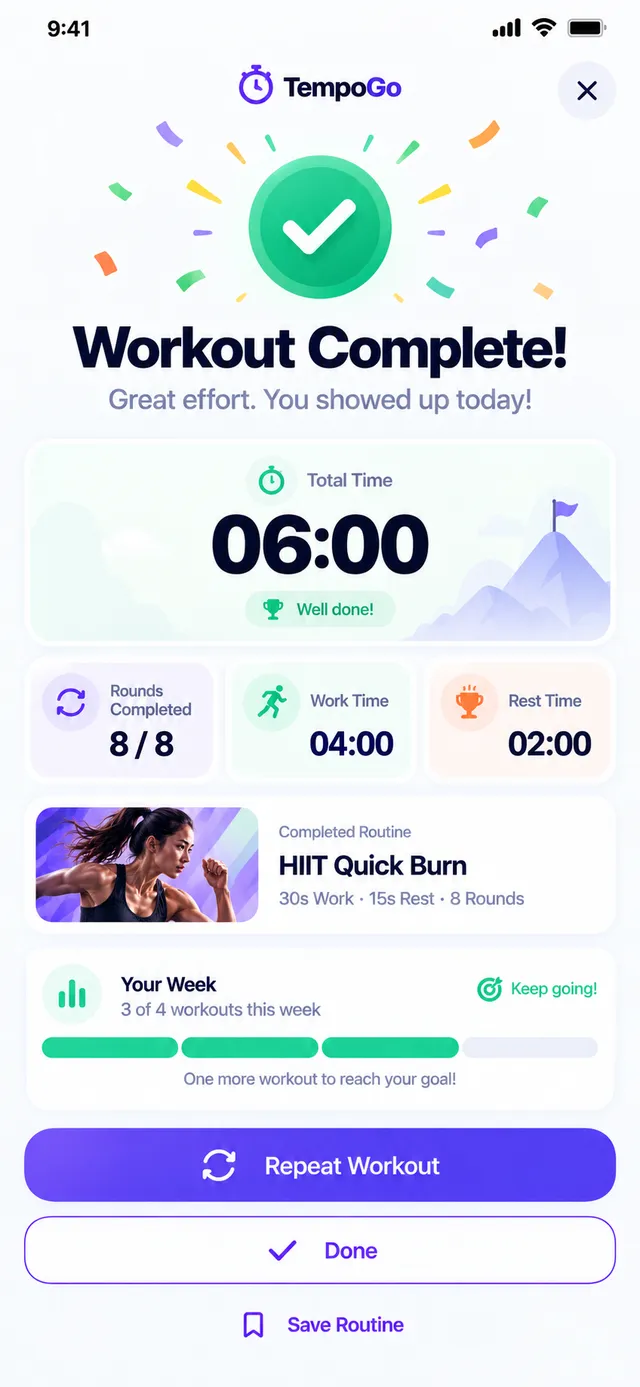
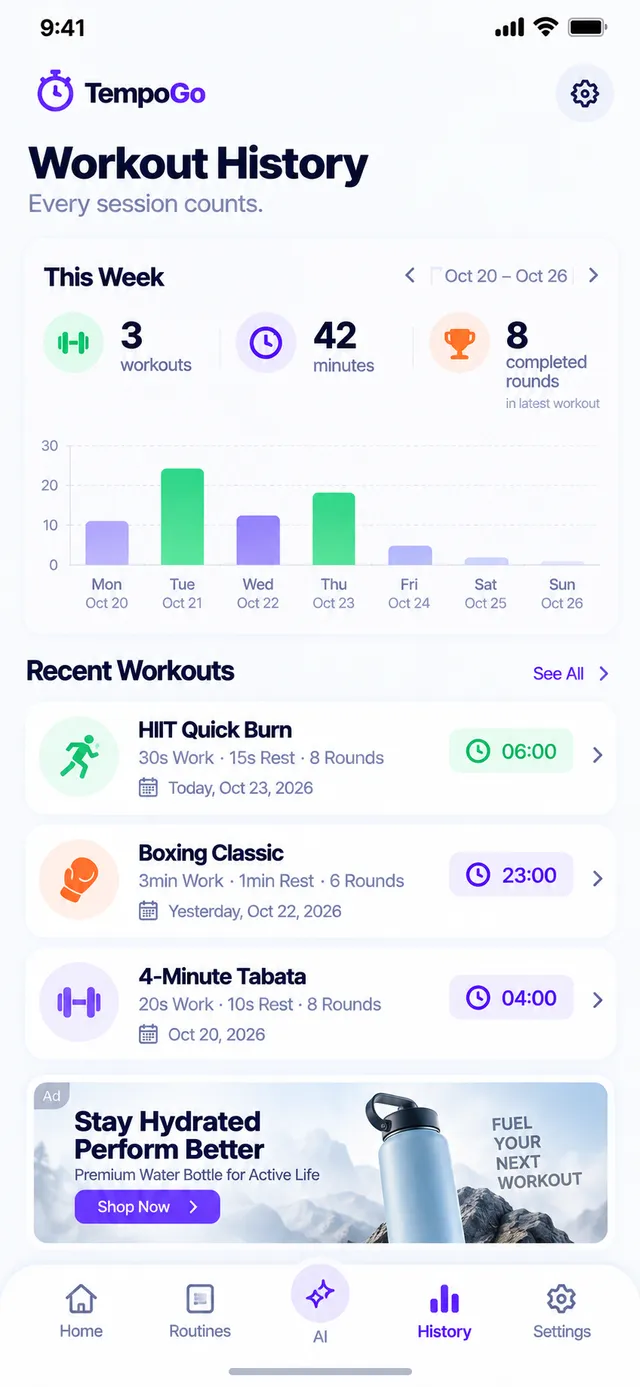
A summary after each workout and a full history, with your most-used routines on top.
No account needed. Your workouts and history stay on your device.
AI timer builder
Skip the steppers. Tell TempoGo what you want in your own words and it sets up work, rest and rounds for you.
Custom timers
Build any interval workout in seconds. Adjust each value with a tap or type it in directly, and TempoGo shows the total time before you press start.
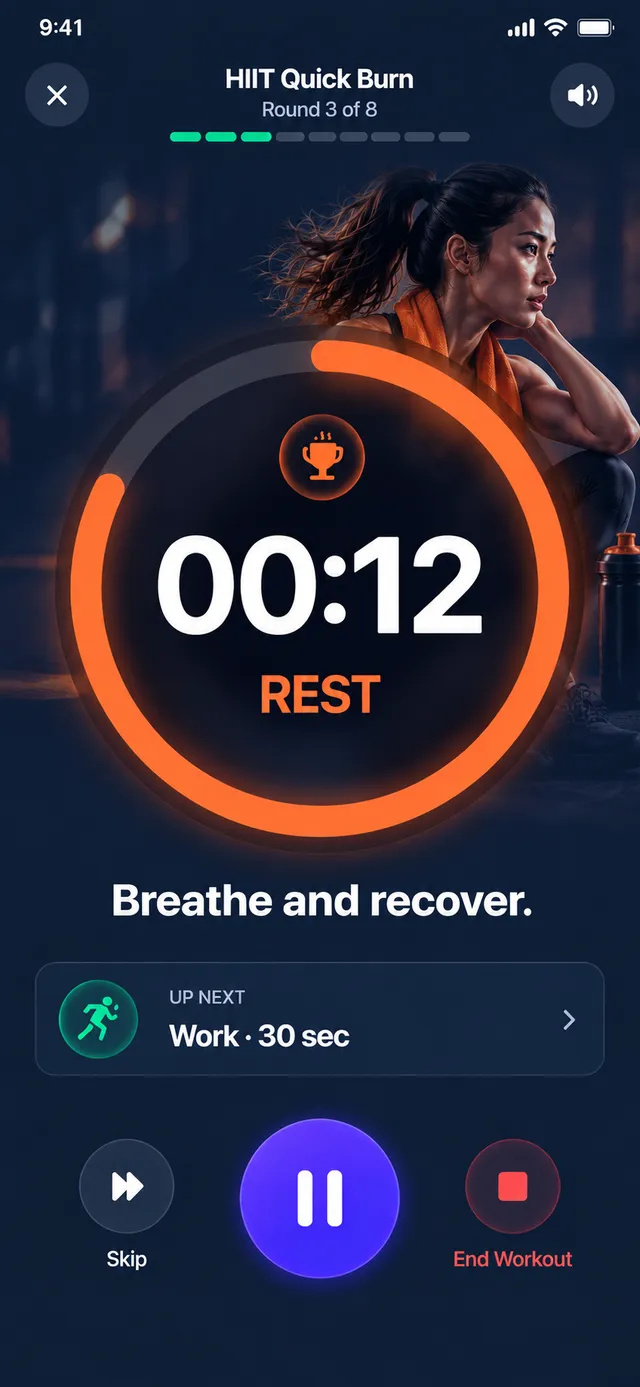
Hands-free voice coach
A big, readable countdown with clear WORK and REST labels, plus a coach that talks you through every change.
Try it here
This is a mini version of the TempoGo timer running in your browser: 20 seconds of work, 10 seconds of rest, 8 rounds. The app adds the voice coach, lock-screen alerts and your history.
Ready-made routines
Proven formats, set up and ready to go. Use them as they are or tweak them into your own.
20s work · 10s rest · 8 rounds
30s work · 15s rest · 8 rounds
A longer burn for full sessions
Round-based timing, like the ring
Easy intervals to build up running
Timed holds to cool down
Inside the app
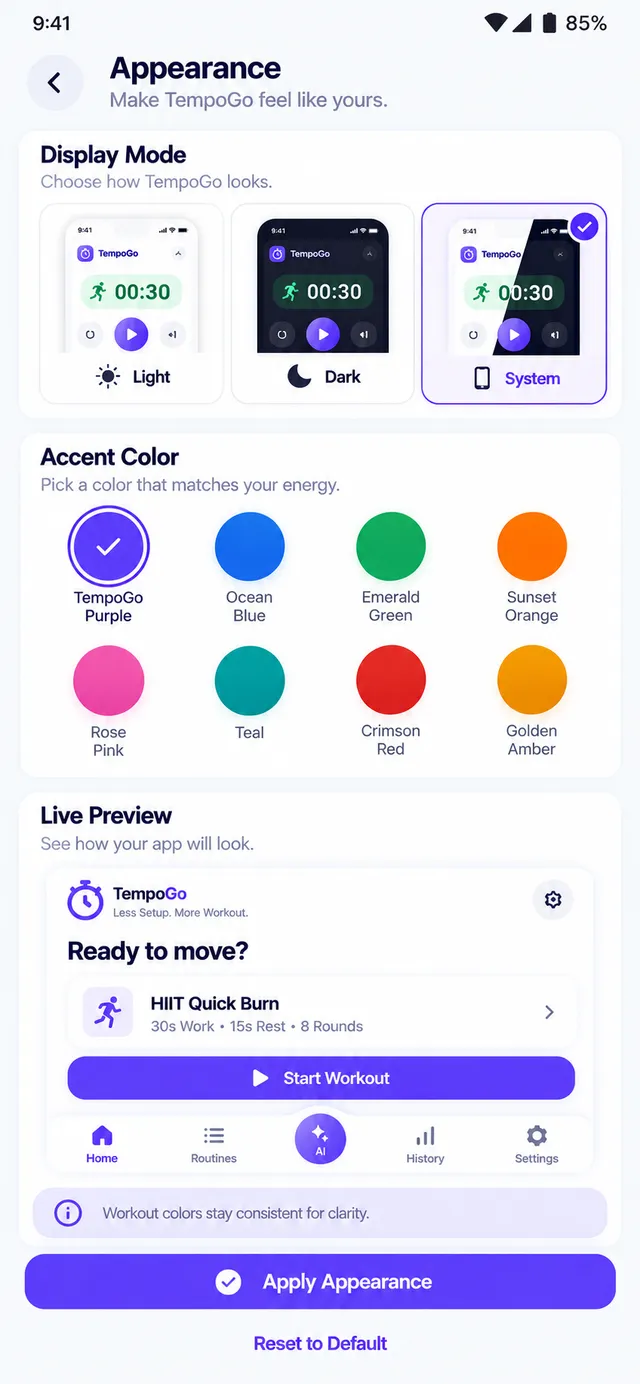
Light screens for planning, an immersive dark timer for training.
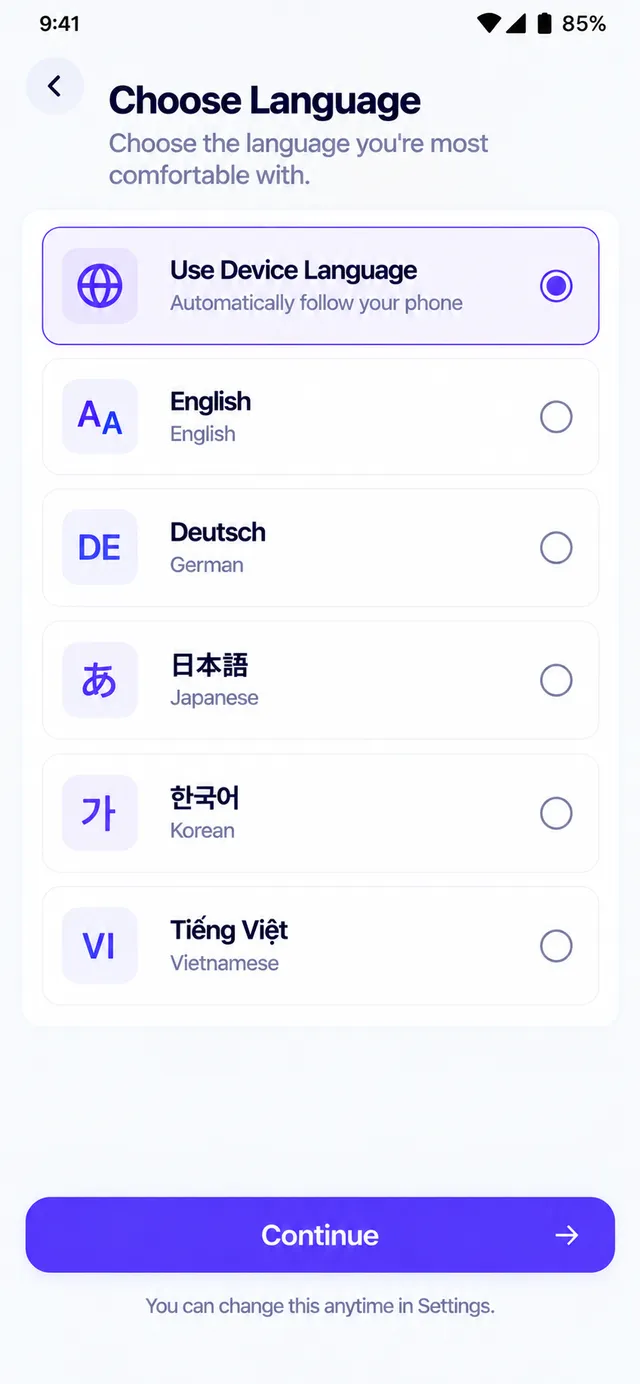
Made for you
Pick from 8 accent colors to match your style.
English, Deutsch, 日本語, 한국어 and Tiếng Việt.
Reduced motion, spoken interval announcements and large text support.
Private by design
No sign-up, no login. Open the app and go.
Your routines and history live on your phone.
Train anywhere, from the basement gym to the trail.
Ads never appear while the timer is running or paused.
FAQ
Yes. TempoGo is free to download and use, supported by ads. Ads are never shown while you are working out: not on the active timer, not on the pause screen and not during onboarding.
No. There is no sign-up and no login. Your routines, settings and workout history are stored on your device, so you can open the app and start training right away.
Yes. Timers, routines, the voice coach and your history all work without an internet connection. Only optional extras, such as the cloud AI builder, need a connection.
Yes. Interval alerts keep coming while your phone is locked, so you can keep it in your pocket or on the floor. And if the app is closed mid-workout, TempoGo lets you pick up right where you left off.
Absolutely. Beeps and voice cues mix with your music, and your music is lowered briefly while the coach speaks, then comes back up.
Type or say something like "30 seconds work, 15 seconds rest, 8 rounds". TempoGo turns it into a timer and shows it to you for review. Nothing starts until you tap Confirm & Start. Sending a request to the cloud AI is optional and only happens after you allow it.
TempoGo is available in English, German, Japanese, Korean and Vietnamese.
TempoGo is built for phones running Android and iOS (iPhone).
Still have a question? Visit Support or email [email protected].
Download TempoGo for free and start your first workout in seconds.